Seeing something wonky on the site? Sorry about that, it's new. I'm working on it...

hello world!
PDF Printover redUX (2)
(Part 2) Picking a deprioritized redesign back up — this time as working code, branch by branch.
(Part 2) Picking a deprioritized redesign back up — this time as working code, branch by branch.
(redUX = redesign UX • re-do • ˌriːˈduː)
The tool still worked. That was still the problem.
Part 1 of this case study ended with an honest line: none of the designs made it into the live product. The redesign was presented, praised, and deprioritized — competing priorities, limited dev time, and a read that the pain only touched a small group of power users.
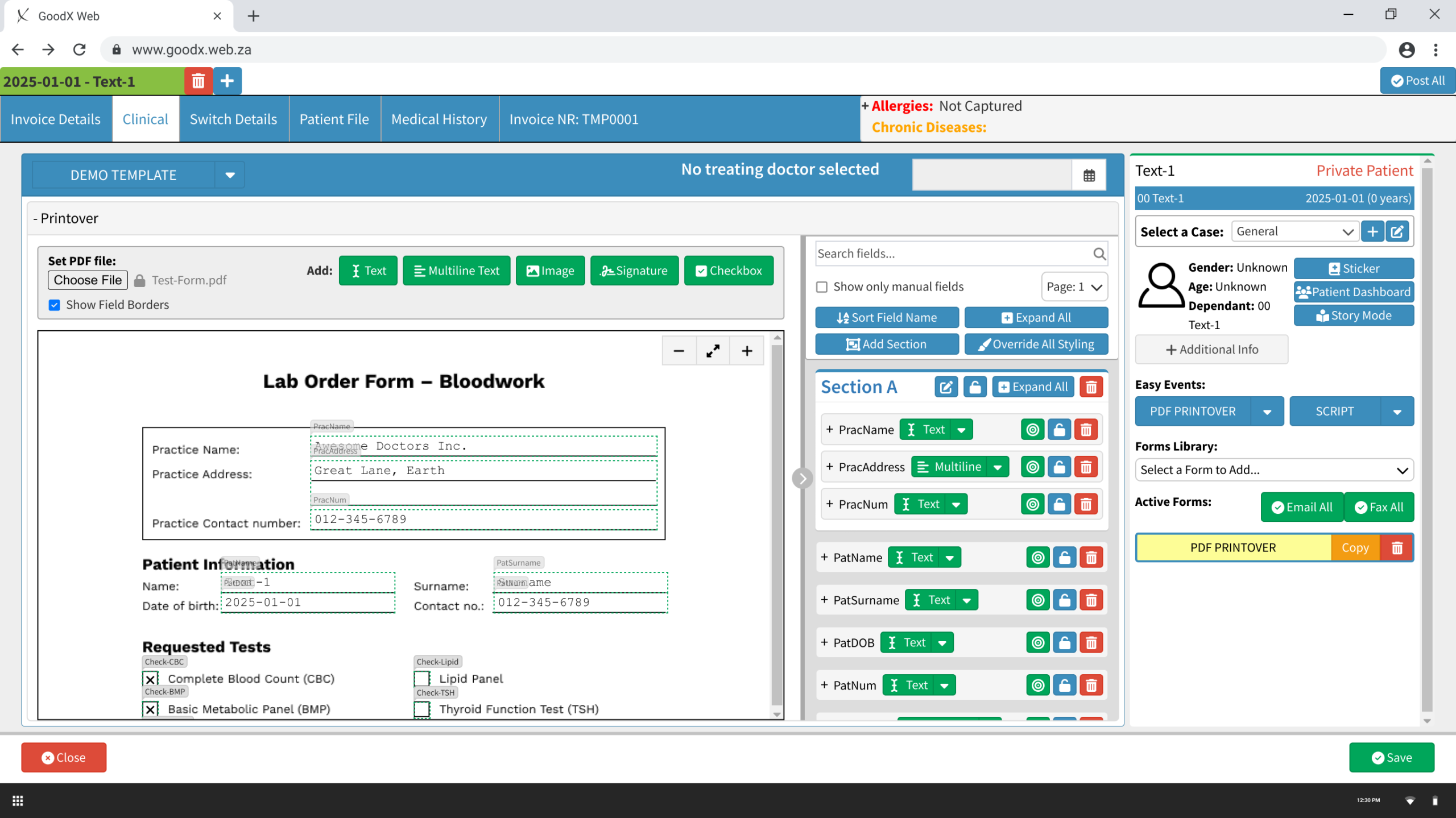
That calculus changed. The work got picked back up, and this time the question isn’t “what should PDF Printover look like” — it’s “does the shipped code actually match what we designed, field by field, pixel by pixel?”
| Company | GoodX Healthcare, a practice management platform for clinics across Canada, South Africa and many other countries |
| My role | Product Designer, now also the person reviewing every built screen against Figma, catching implementation bugs live, and making the technical-feel calls (CSS strategy, copy, interaction details) a pure design handoff doesn’t cover |
| Team | Canadian CEO (sponsor), Canadian and South African support staff and SMEs, plus an AI pairing partner (Claude Code, connected directly to the Figma file) doing the implementation |
| Timeline | Design, Nov 2024 – Mar 2025 (Part 1). Implementation, ongoing — branch by branch, each one tested live before the next starts. |
| Platform | Web application (desktop) |
| Tools | Figma, Claude AI, GitHub |
The original design didn’t need rework — it needed a path to production that wouldn’t die the same way twice. The plan: break the whole redesign into ~16 small, independently reviewable branches, each stacked on the last, each tested live before moving on. No single giant PR for a reviewer to drown in; no six-month gap between “approved” and “shipped.”
Each finished branch gets checked against its Figma node directly — not “close enough,” but color values, spacing, component reuse pulled straight from the design file. Several real discrepancies only surfaced this way: a dialog header color that needed one setting (not custom CSS) to match exactly; a body background Figma showed but the shared dialog chrome didn’t provide, solved with a small, documented CSS trick instead of a one-off hack.
The current branch in progress. Mass-applies font styling to every unlocked Text/Multiline field and resizes every unlocked Checkbox at once — closing a real support ticket (“Overarching Font colour setting for PDF Printover”) that Part 1’s research had already flagged as designable. Built out with the full style-button set (bold, italic, underline, strikethrough, highlight, reset), a live preview, and a warnings-styled notice block adapted from an existing component elsewhere in the app, revised twice against Marinet’s own Figma annotations before it matched.
None of these would have shown up in a design review. All of them shipped as fixes within the same day they were found.
Unlike Part 1, this section isn’t a postmortem — the work is live in progress. What’s true right now: 15 branches built and confirmed working on real QA infrastructure, one more in active development, a locale-hygiene pass done cross-cutting, and a branch-splitting discipline that’s kept every single PR reviewable.
The plan going forward: finish most of the remaining planned branch work, test it with the internal SMEs (power users) and client user testers, make changes or bank them for the next iteration, and then start getting the branches reviewed and rolled out with clients.
The full branch-by-branch plan — status, PRs, test cases, and every decision made along the way — is tracked live here: PDF Printover redUX — Phase 1 plan
What I learned, round two: a Figma file can be pixel-perfect and still be wrong once it’s running — design review and implementation review catch two different kinds of mistakes, and skipping either one just moves the bug further downstream.
(No working prototype is available since it is a live web app.)